Permit & compliance tracking for the trades
Never miss a permit, an inspection, or an expiring COI.
PermitCrate gives HVAC, electrical and plumbing shops one place for every job, permit, inspection window and license, with morning alerts that keep your crews on schedule, wherever you work.
- No card needed to start
- Set up in about 5 minutes
- Works on any phone
Permit paperwork shouldn't live in your head
Contractors lose time and jobs to small, avoidable gaps. PermitCrate closes them.
Permits scattered everywhere
Status updates in email, numbers in a spreadsheet, a photo of the approval on someone's phone. Nobody can answer 'where's the Henderson permit?' quickly.
Inspections that slip
A missed window means a reschedule, a crew standing around, and a customer asking why the job isn't done.
COIs and licenses that lapse
An expired certificate can stop you from starting a job. Most shops find out when someone asks for the document.
Everything a trade shop needs to stay on top of permits
A permit board that matches how you work
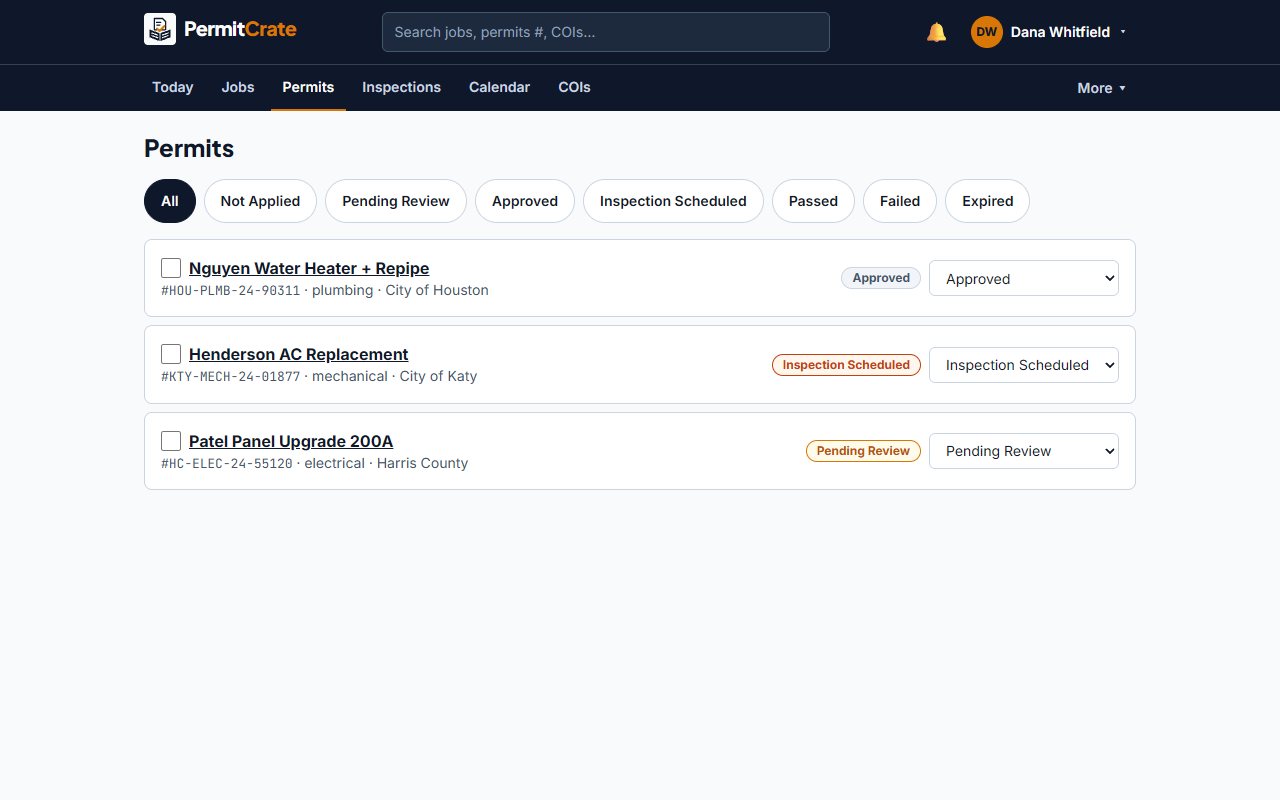
Seven simple statuses from Not Applied to Passed. Update a permit in two taps from the truck.
Inspection windows and a calendar
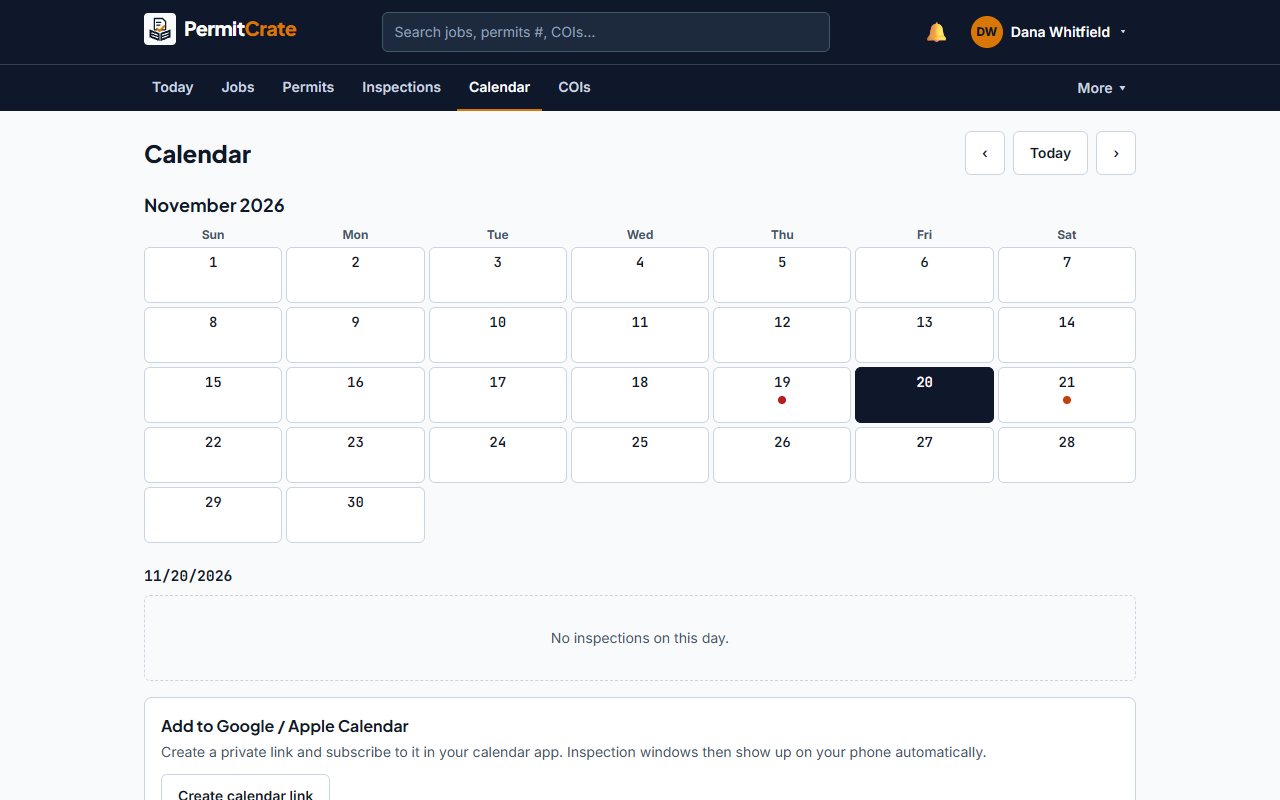
Schedule inspections with time windows, see overdue ones at a glance, and subscribe to a private calendar feed on your phone.
COI and license expiry alerts
Alerts 30, 14 and 7 days before anything expires, plus a flag on anything that already has.
Photos and documents with the job
Attach permit PDFs, sign-offs and job-site photos right where they belong. Only your team can open them.
Built for the field
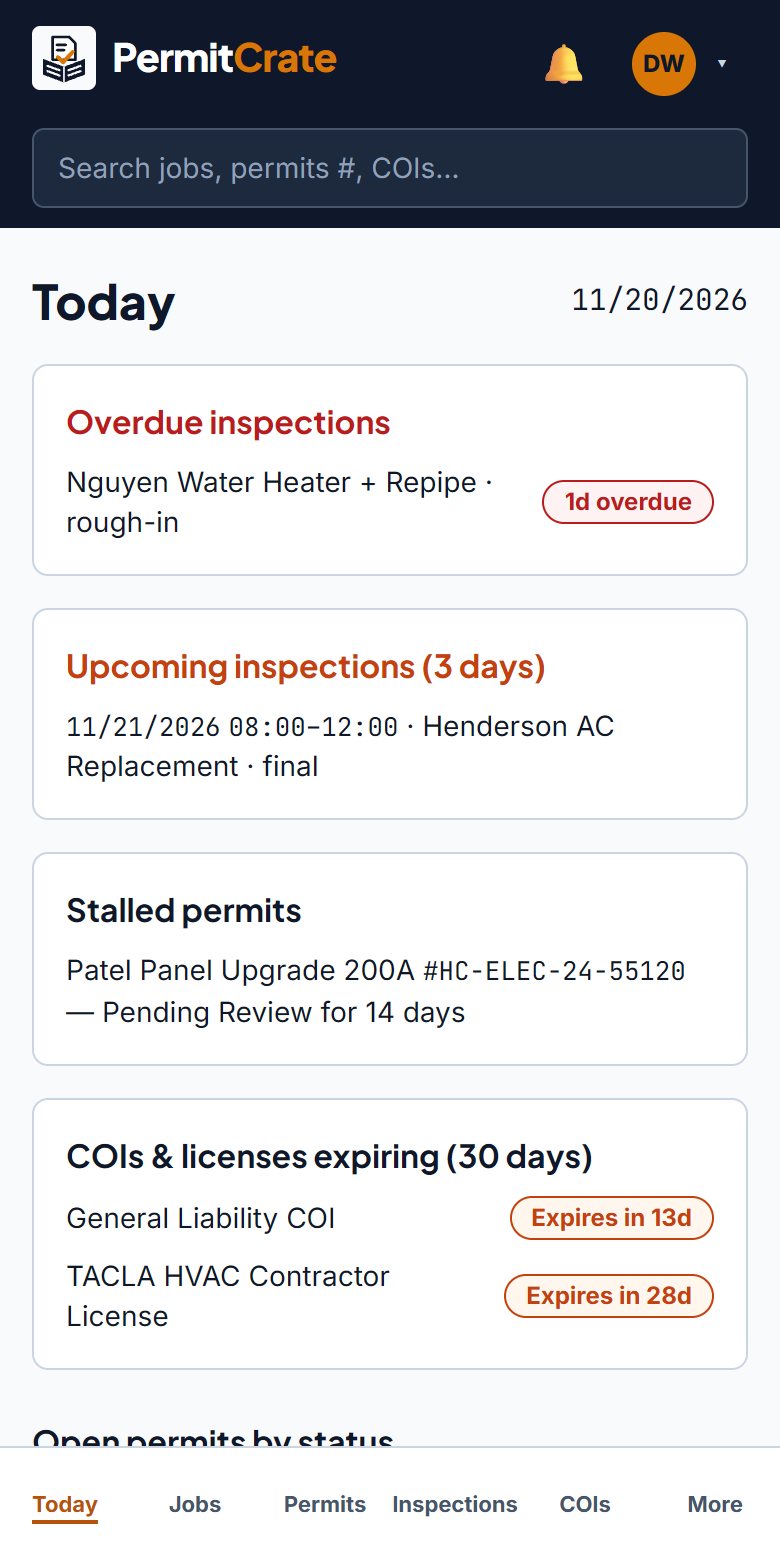
Installable on any phone, with offline support so status updates and photos aren't lost in a dead zone.
Control and accountability
Owner, office and field roles, plus an activity log that shows who changed what, and when.
Up and running in about five minutes
No consultants, no training week.
- 1
Add your open permits
Type in your first three, or upload a CSV and match your columns. We'll add a sample job so you can see how it all fits together.
- 2
Schedule inspections, add documents
Set inspection windows, attach approvals and photos, and add your COIs and licenses with their expiration dates.
- 3
Let the alerts do the nagging
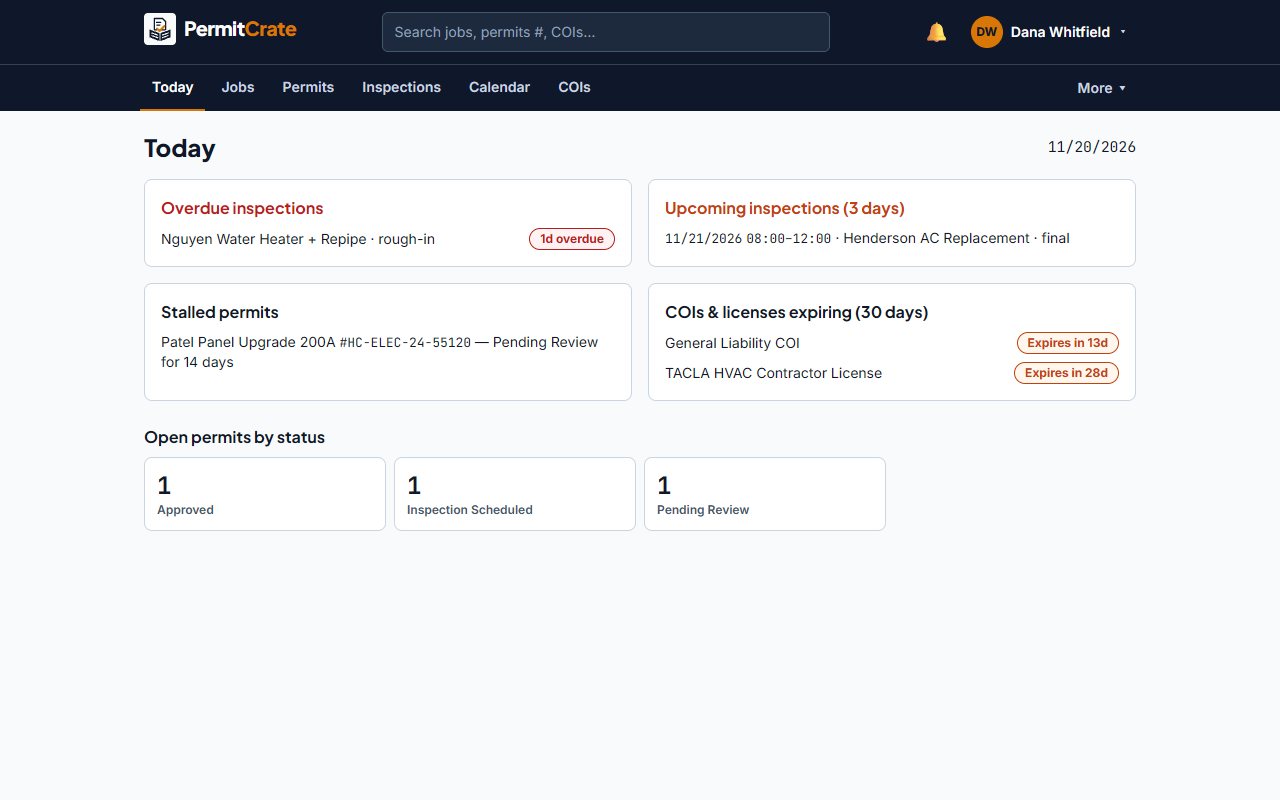
Each morning PermitCrate surfaces what's overdue, what's coming up, and what's about to expire, so the day starts with a plan.
See your whole pipeline at a glance
The permits board
Filter by status, jump to the job, change a permit's status from the list, or select several and update them in bulk after a round of inspections.
- Pending, approved, inspection scheduled, passed, failed, expired
- Search by permit number, address or customer
- Bulk status updates after a batch of inspections
Every city and county does permits a little differently
One job can fall under a city, a county or a special district depending on the address, and every office has its own portal, forms and inspection rules. PermitCrate keeps a jurisdiction directory for your shop, so the portal link, phone number and inspection quirks for each office are one tap away, in any state.
- Add the offices you work with; offices on your permits are suggested automatically
- Track every permit by jurisdiction
- Morning digest at 7 AM in your own time zone
- Calendar feed that follows your inspection windows
Start free. Upgrade when you get busy.
All prices in US dollars · 14-day free trial on paid plans · Pay by card or wallet · Plus sales tax where it applies · Compare plans
Your data stays yours
Isolated by company
Every record belongs to one organization, and the app is tested to make sure one shop can never read another's data.
Serious about sign-in
Salted, peppered password hashing, hashed session tokens, sign-in throttling and one-time reset links.
No ads, no data sales
We don't sell or share your data, and we don't run ad trackers. Payments are handled by Stripe, so card numbers never touch our servers.
We're onboarding our first shops
PermitCrate is new, and we're working closely with early shops. If your team tracks permits and COIs today in spreadsheets, email and memory, start a trial and tell us what's missing. Your feedback shapes what we build next.
Frequently asked questions
What is PermitCrate?
PermitCrate is a web app that helps HVAC, electrical and plumbing contractors keep jobs, permits, inspection windows, and expiring COIs and licenses in one place, with daily alerts so nothing slips.
Does it work on my phone?
Yes. PermitCrate is an installable web app: open it in your phone's browser and add it to your Home Screen. Field crews can update permit status, record inspection results and upload photos, even with weak signal. Changes made offline sync when the connection returns.
How does the free trial work?
You can create an account without a card and start on the Free plan right away, with up to 3 active jobs. When you choose Solo or Growing Crew at checkout, the first 14 days are free. You can pay by card or a digital wallet such as Apple Pay or Google Pay. Prices are in US dollars, and sales tax is added where it applies. Stripe is the merchant of record: it processes the payment and collects and remits that tax.
What counts as an active job?
Any job that isn't closed or archived. Free includes up to 3 active jobs, Solo up to 25, and Growing Crew is unlimited. Close or archive a finished job and it stops counting toward your limit. If you ever go over a limit, nothing is deleted; you just can't add new jobs until you upgrade or close one.
Does it connect to city permit portals?
Not today. PermitCrate tracks the permits you enter or import, along with their status, dates, inspections and files. That keeps setup fast and works with any jurisdiction's process.
Get every permit, inspection and COI in one place
Start a free 14-day trial. Set up in about five minutes. Works on any phone.