Features
Everything you need to keep permits moving and paperwork current
PermitCrate does one job well: it keeps your permits, inspections and compliance documents organized, visible and on schedule, in the office and in the field.
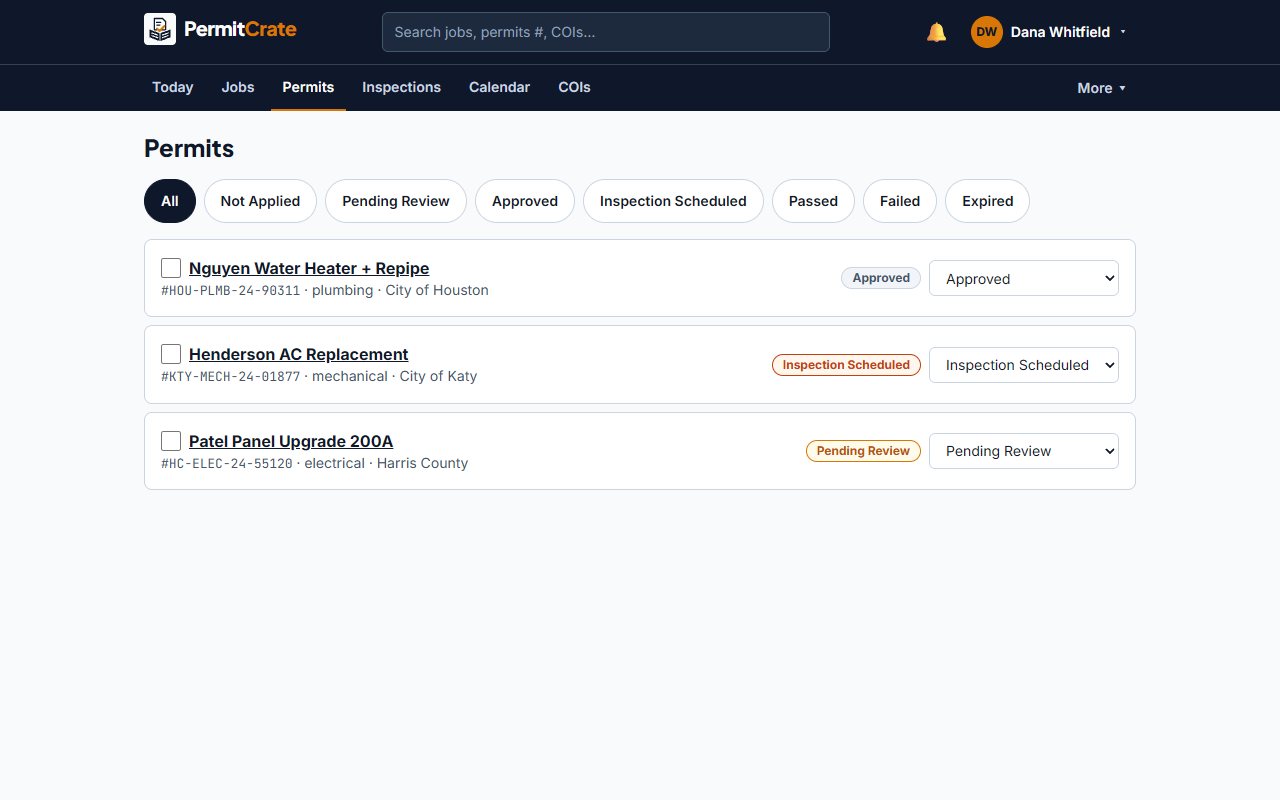
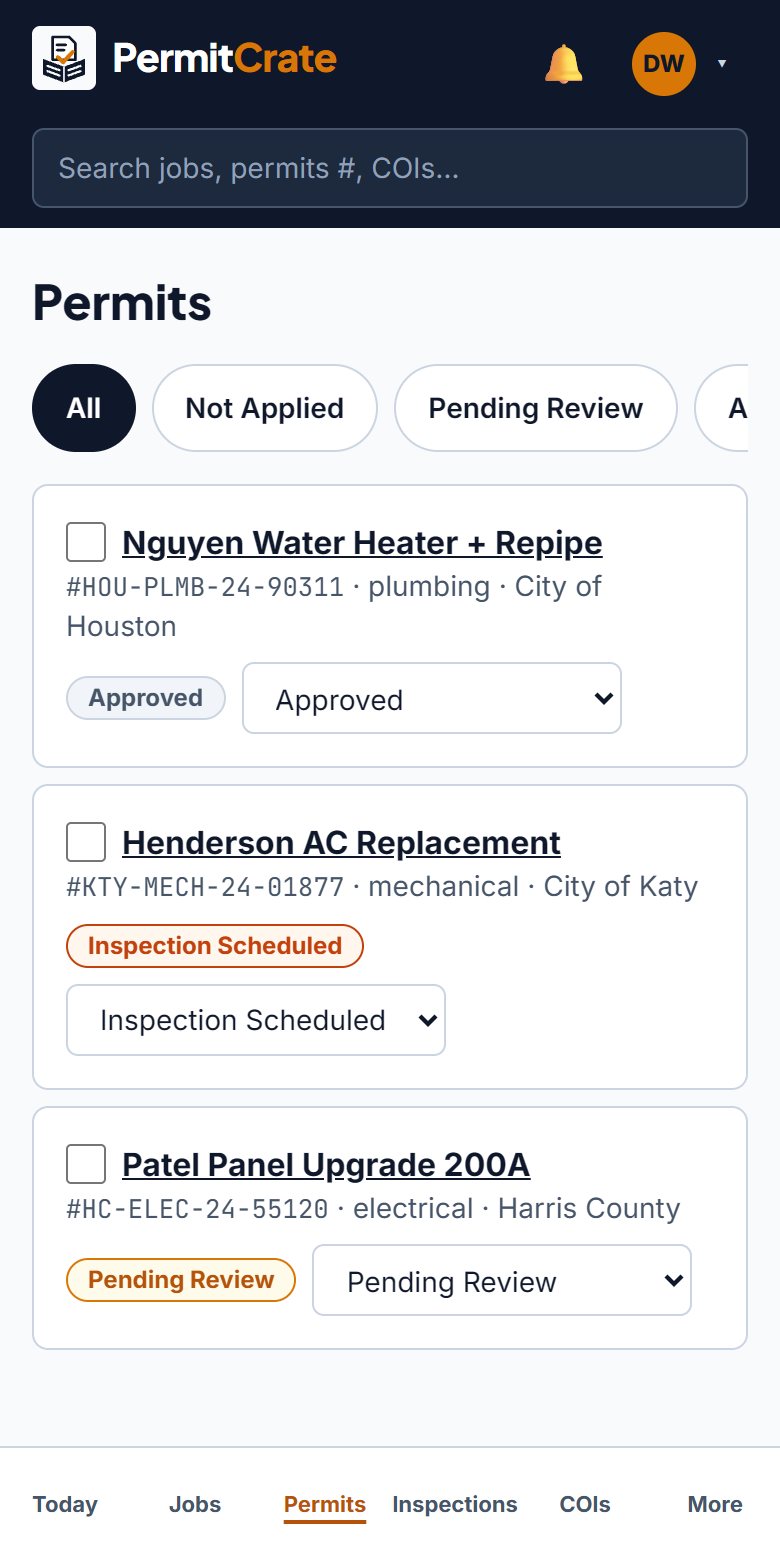
A permit board that matches your workflow
Every permit has a clear status, a jurisdiction, dates and its own files. Move permits through Not Applied, Pending Review, Approved, Inspection Scheduled, Passed, Failed and Expired with a single tap.
- Permit number, type, jurisdiction, applied, approved and expiry dates
- Stalled-permit flags when something sits too long without a change
- Search by permit number, customer, address or jurisdiction
- Select several permits and update their status together
- Permit fees and reinspection costs tracked per job (owner and office)
Inspections, windows and a calendar you can carry
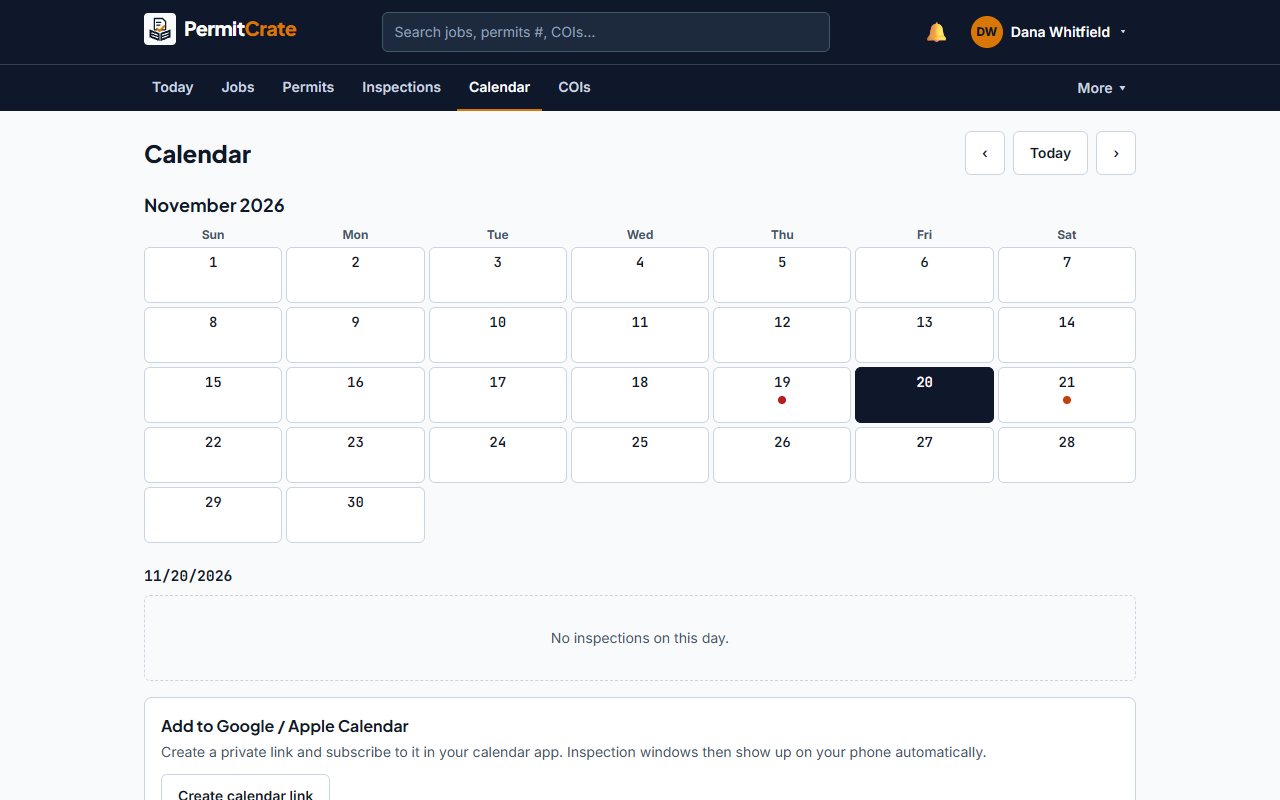
Schedule each inspection with a date and time window. Overdue and upcoming inspections show up on your Today screen, and when a result comes in, one tap records it and moves the permit forward.
- Month calendar with overdue, scheduled, passed and failed at a glance
- Private calendar feed for Google or Apple Calendar (revocable any time)
- Record Passed or Failed from the field; the permit status follows
- Inspector name and result notes on every inspection
COIs and licenses that never sneak up on you
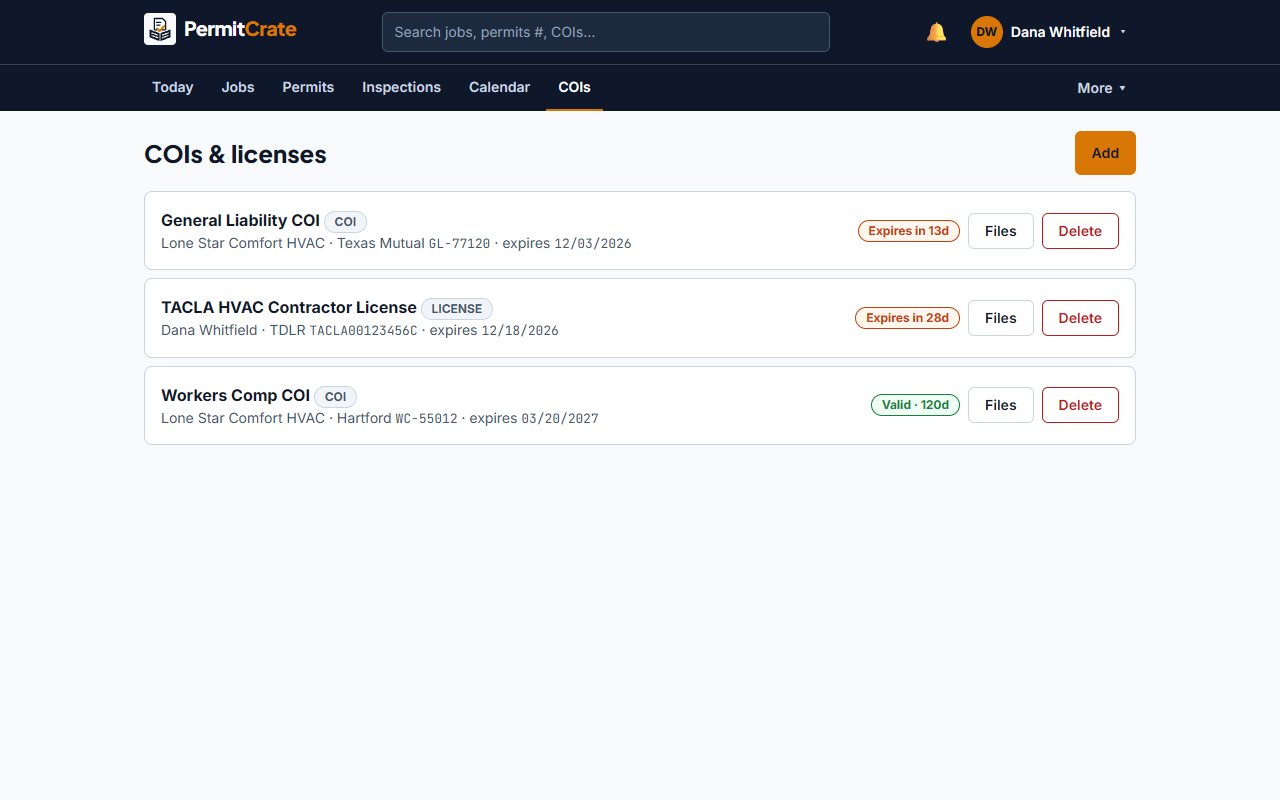
Add certificates of insurance, trade licenses and bonds with their expiration dates and PermitCrate keeps watch for you.
- Alerts at 30, 14 and 7 days before expiry
- A clear flag on anything already expired
- Attach the actual certificate or license PDF to the record
- Import your existing list from a spreadsheet
Licensing differs by state, and sometimes by city or county. Shops typically track their state contractor and trade licenses, local registrations, bonds, and general liability and workers' comp certificates. Add whatever your jobs require.
Made for the truck, not just the desk
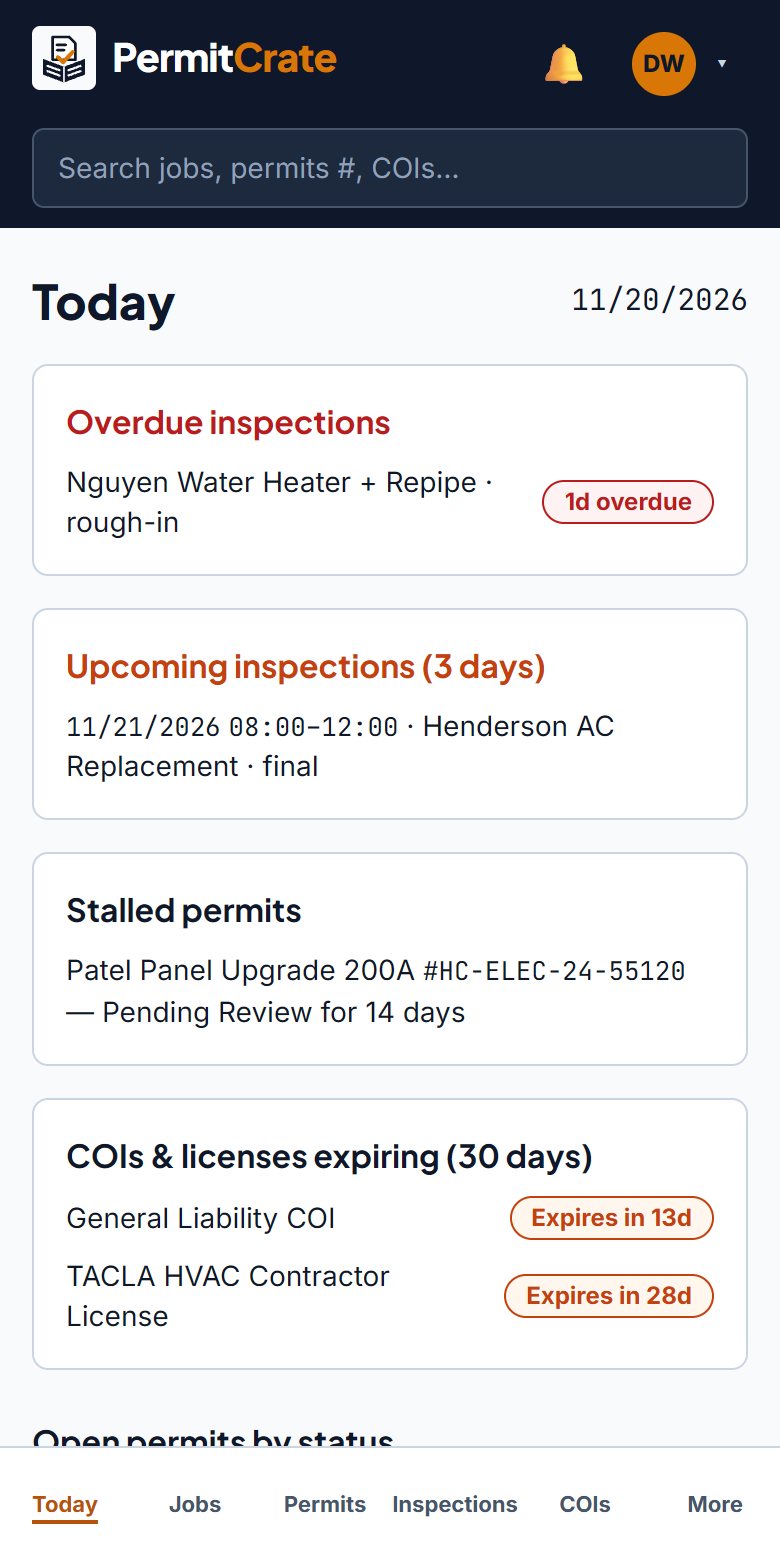
PermitCrate is an installable web app: no app-store download, and it runs on any modern phone. When you lose signal in an attic or a crawl space, field actions are saved on the device and sync automatically when you're back online.
- Add to your Home Screen like a native app
- Update permit status, record results and upload photos offline
- Phone alerts for overdue inspections and expiring documents
- Large touch targets and a clean, high-contrast layout for daylight
Team access that matches your shop
Owner, office and field roles
Owners manage billing and team, office staff run jobs and paperwork, and field crew update what they need on site.
Invite links, no setup tickets
Invite teammates by link. Owners can generate one-time password reset links for anyone on the team.
An activity log you can trust
See who changed which permit, inspection or document, and when. Useful when an inspector or customer disputes a date.
The details that save you an afternoon
CSV import and export
Bring in your existing spreadsheet with a column mapper and preview. Export jobs, permits and COIs any time.
Job packet and customer status link
Print a clean packet for the file, or share a read-only status page with a customer. It never shows costs, notes or contact details.
Jurisdiction directory
Keep each office's permit portal link, phone and inspection notes in one place for the whole crew.
Global search
Find any job, permit number or certificate from the search box at the top of the app.
Daily digest
A morning summary of what's overdue, upcoming, stalled or expiring, in the app and on your phone.
Pre-inspection checklists
Starter checklists per trade are copied onto each inspection you schedule. Edit them to match your jurisdiction, and crews tick items off on site, even offline.
Secure documents and your data
Permit PDFs, sign-offs and photos are stored privately. Download a full export of your data or delete your account yourself, any time.
Get every permit, inspection and COI in one place
Start a free 14-day trial. Set up in about five minutes. Works on any phone.